Types Fields API
This page is part of the documentation about customizing your site using PHP.
To insert Types fields using PHP code, use the following function and syntax:
<?php echo(types_render_field( 'field-slug', array( 'arg1' => 'val1', 'arg2' => 'val2' ) )); ?>
To insert Types user meta fields using PHP code, use the following function and syntax:
<?php echo(types_render_usermeta( 'field-slug', array( 'arg1' => 'val1', 'arg2' => 'val2' ) )); ?>
When using the Types API functions, like types_render_field in this example, you use the normal slug for custom fields. For example, if you have a custom field called “House Price” with a slug house-price, use that slug with the Types API.
However, when you are accessing custom fields through native WordPress functions, you need to prepend the wpcf- prefix to the slug. Continuing from the above example, for native WordPress function to access the “House Price” field, you need to use the wpcf-house-price slug.
Displays an address field. In order to enable this field, you need Toolset Maps plugin.
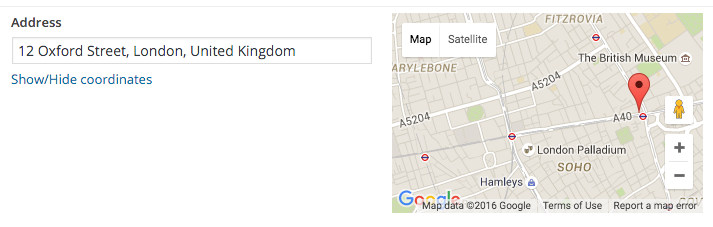
Will display the address as text or the latitude/longitude coordinates of the address
format: Use the literals FIELD_ADDRESS, FIELD_LATITUDE and FIELD_LONGITUDE in the format to output the address
e.g. format=”FIELD_ADDRESS: FIELD_LATITUDE, FIELD_LONGITUDE”
output: 'raw' | 'normal'(default)
‘raw’=Display raw data stored in DB. No other formatting attributes (e.g. custom separator) will be respected.
‘html’=Wrap data in HTML.
show_name: 'if-not-empty' | 'true' | 'false' (default)
‘if-not-empty’=Render the field name only when the field value is not empty
‘true’=Render the field name
‘false’ =Don’t render the field name
More Repeater attributes, User attributes, Term attributes, Usage examples
index: zero-based index number of the field to be output
Index will return a single value of your repeating field
separator: text or html tags to insert between each field
user_current: "true" - output user field for the logged in user
user_id: "id" - output the field for the user with this id
user_is_author: "true" - output field for current Post author
If no user is specified for the usermeta, then the value for the current post author will be displayed (i.e. default).
user_name: "name" - output the field for the user with this login name
term_id: "id" - output the field for the term with this id.
This can be omitted in 2 cases:
-Inside a taxonomy term archive page, where the global term will be used instead
-A Taxonomy View, where the current term of the loop will be used instead
types_render_field("my-address", array())
[types field='my-address'][/types]
[types field='my-address' format='FIELD_ADDRESS: FIELD_LATITUDE, FIELD_LONGITUDE'][/types]
types_render_usermeta( "user-address", array( "user_current" => true )
[types usermeta='user-address' user_current='true'][/types]
types_render_termmeta( "category-address", array() )
[types termmeta='category-address'][/types]
Audio will allow users to upload and play an audio clip on your site.
The Types audio field implements the audio feature of WordPress.
You must be running WordPress 3.6 and above for the audio field to be available.


autoplay: 'on' | 'off' (default)
Media will start playing as soon as the page loads.
item: The “item” attribute is used to get the context when retrieving data from a post that is different from the current one.
See Item Attribute.
loop: 'on' | 'off' (default)
Media will loop to beginning when finished and automatically continue playing
output: 'raw' | 'normal'(default)
‘raw’=Display raw data stored in DB. No other formatting attributes (e.g. custom separator) will be respected.
‘html’=Wrap data in HTML.
preload: 'on' | 'off' (default)
Media will begin downloading as soon as the page is loaded.
show_name: 'if-not-empty' | 'true' | 'false' (default)
‘if-not-empty’=Render the field name only when the field value is not empty
‘true’=Render the field name
‘false’ =Don’t render the field name
More Repeater attributes, User attributes, Term attributes, Usage examples
index: zero-based index number of the field to be output
Index will return a single value of your repeating field
separator: text or html tags to insert between each field
user_current: "true" - output user field for the logged in user
user_id: "id" - output the field for the user with this id
user_is_author: "true" - output field for current Post author
If no user is specified for the usermeta, then the value for the current post author will be displayed (i.e. default).
user_name: "name" - output the field for the user with this login name
term_id: "id" - output the field for the term with this id.
This can be omitted in 2 cases:
-Inside a taxonomy term archive page, where the global term will be used instead
-A Taxonomy View, where the current term of the loop will be used instead
types_render_field( "my-audio-field", array("output" => "raw") )
[types field="my-audio-field" loop="on"][/types]
types_render_usermeta( "my-audio-field", array( "user_current" => true ) )
[types usermeta="my-audio-field" loop="on"][/types]
types_render_termmeta( "my-audio-field", array() )
[types termmeta="my-audio-field"][/types]
Checkbox can be used to get binary, yes/no responses from a user.

If checkbox is checked, the value 1 will be returned.
If checkbox is not checked, no value will be returned.
If checkbox is not checked, and “Save 0 to the database” is set for the control, 0 will be returned.
If the state attribute is used, then the value between the shortcodes will be returned.
item: The “item” attribute is used to get the context when retrieving data from a post that is different from the current one.
See Item Attribute.
output: 'raw' | 'normal'(default)
‘raw’=Display raw data stored in DB. No other formatting attributes (e.g. custom separator) will be respected.
‘html’=Wrap data in HTML.
show_name: 'if-not-empty' | 'true' | 'false' (default)
‘if-not-empty’=Render the field name only when the field value is not empty
‘true’=Render the field name
‘false’ =Don’t render the field name
state: ’unchecked’ | ‘checked’
If true then the value between the {{types}}{{/types}} will be output.
For checkboxes state is only valid if option is specified
More Repeater attributes, User attributes, Term attributes, Usage examples
This field does not support repeating values
user_current: "true" - output user field for the logged in user
user_id: "id" - output the field for the user with this id
user_is_author: "true" - output field for current Post author
If no user is specified for the usermeta, then the value for the current post author will be displayed (i.e. default).
user_name: "name" - output the field for the user with this login name
term_id: "id" - output the field for the term with this id.
This can be omitted in 2 cases:
-Inside a taxonomy term archive page, where the global term will be used instead
-A Taxonomy View, where the current term of the loop will be used instead
types_render_field("my-checkbox", array("output" => "raw"))
[types field="my-checkbox"][/types]
Will output the value for the checkbox if checked
types_render_usermeta( "my-field", array( "user_current" => true ) )
Will display the value of the field for the current user.
[types usermeta="my-field"][/types]
Will display the value of the field for the post author.
types_render_termmeta( "my-field", array() )
[types termmeta="my-field"][/types]
Displays a checkbox group to the user. Checkboxes can be used to get binary, yes/no responses from a user. If “Save 0 to the database” is set for the control, you will not be able to use these fields in a Custom Search later. Read more in this erratum post.
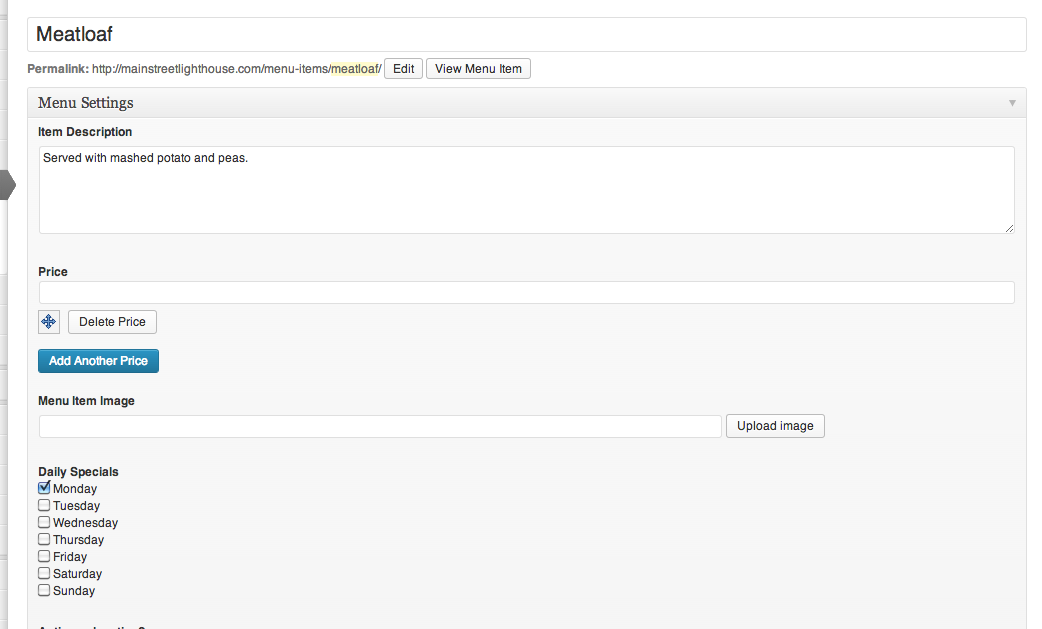
With no attributes set, checkboxes will return a comma separated list of values stored for each checked checkbox.
item: The “item” attribute is used to get the context when retrieving data from a post that is different from the current one.
See Item Attribute.
option: "zero-based index number"
e.g. option=”0″ Will output the value for the option number specified. For checkboxes, will display the checked valued of the nth checkbox in the group.
output: 'raw' | 'normal'(default)
‘raw’=Display raw data stored in DB. No other formatting attributes (e.g. custom separator) will be respected.
‘html’=Wrap data in HTML.
separator: text or html tags to insert between each field
show_name: 'if-not-empty' | 'true' | 'false' (default)
‘if-not-empty’=Render the field name only when the field value is not empty
‘true’=Render the field name
‘false’ =Don’t render the field name
state: ’unchecked’ | ‘checked’
If true then the value between the {{types}}{{/types}} will be output.
For checkboxes state is only valid if option is specified
More Repeater attributes, User attributes, Term attributes, Usage examples
This field does not support repeating values
user_current: "true" - output user field for the logged in user
user_id: "id" - output the field for the user with this id
user_is_author: "true" - output field for current Post author
If no user is specified for the usermeta, then the value for the current post author will be displayed (i.e. default).
user_name: "name" - output the field for the user with this login name
term_id: "id" - output the field for the term with this id.
This can be omitted in 2 cases:
-Inside a taxonomy term archive page, where the global term will be used instead
-A Taxonomy View, where the current term of the loop will be used instead
types_render_field( "my-checkboxes", array( "separator" => ", " ) )
[types field="my-checkboxes"][/types]
Will output a comma separated list of values for each checked checkbox
[types field="my-checkboxes" separator=" - "][/types]
Will output a list of values for each checked checkbox separated by a dash.
[types field="my-checkboxes" option="0"][/types]
Will output the value for the first checkbox in the group
[types field="my-checkboxes" option="0" state="unchecked"][wpml-string context="wpv-views-types-fields"]text to display[/wpml-string][/types]
Will output ‘text to display’ for the first checkbox in the group if it is unchecked
types_render_usermeta( "my-checkboxes", array() )
[types usermeta="my-field"][/types]
Will display the value of the field for the post author.
types_render_termeta( "my-field", array() )
[types termeta="my-field"][/types]
Displays a interactive colorpicker to the user to select a color value.
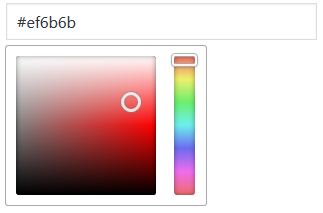
The hexadecimal RGB color code.
item: The “item” attribute is used to get the context when retrieving data from a post that is different from the current one.
See Item Attribute.
show_name: 'if-not-empty' | 'true' | 'false' (default)
‘if-not-empty’=Render the field name only when the field value is not empty
‘true’=Render the field name
‘false’ =Don’t render the field name
More Repeater attributes, User attributes, Term attributes, Usage examples
index: zero-based index number of the field to be output
Index will return a single value of your repeating field
separator: text or html tags to insert between each field
user_current: "true" - output user field for the logged in user
user_id: "id" - output the field for the user with this id
user_is_author: "true" - output field for current Post author
If no user is specified for the usermeta, then the value for the current post author will be displayed (i.e. default).
user_name: "name" - output the field for the user with this login name
term_id: "id" - output the field for the term with this id.
This can be omitted in 2 cases:
-Inside a taxonomy term archive page, where the global term will be used instead
-A Taxonomy View, where the current term of the loop will be used instead
types_render_field( "my-colorpicker")
[types field="my-colorpicker"][/types]
Will output a hexadecimal color code e.g. #e869e7.
types_render_usermeta( "my-colorpicker", array( "user_current" => true ) )
[types usermeta="colorpicker"][/types]
types_render_termmeta( "my-colorpicker-field", array() )
[types termmeta="my-colorpicker-field"][/types]
Displays a datepicker to the user with optional ‘hour’ and ‘minute’ selection.
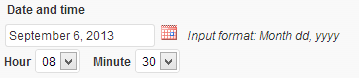

Date can be displayed as a formatted date time text or as a calendar.
format: any valid WordPress date format
WordPress date and time formats. Defaults to the Date Format in site General Settings.
item: The “item” attribute is used to get the context when retrieving data from a post that is different from the current one.
See Item Attribute.
output: 'raw' | 'normal'(default)
‘raw’=Display raw data stored in DB. No other formatting attributes (e.g. custom separator) will be respected.
‘html’=Wrap data in HTML.
show_name: 'if-not-empty' | 'true' | 'false' (default)
‘if-not-empty’=Render the field name only when the field value is not empty
‘true’=Render the field name
‘false’ =Don’t render the field name
style: "text" | "calendar"
“calendar” will show the current month and highlight the current day on the page.
More Repeater attributes, User attributes, Term attributes, Usage examples
index: zero-based index number of the field to be output
Index will return a single value of your repeating field
separator: text or html tags to insert between each field
user_current: "true" - output user field for the logged in user
user_id: "id" - output the field for the user with this id
user_is_author: "true" - output field for current Post author
If no user is specified for the usermeta, then the value for the current post author will be displayed (i.e. default).
user_name: "name" - output the field for the user with this login name
term_id: "id" - output the field for the term with this id.
This can be omitted in 2 cases:
-Inside a taxonomy term archive page, where the global term will be used instead
-A Taxonomy View, where the current term of the loop will be used instead
types_render_field("my-date", array("style" => "calendar"))
[types field="my-date" style="calendar"][/types]
Will display a calendar on your site with the date value highlighted
[types field="my-date"][/types]
Will display the date formatted according to your site’s WordPress general settings
[types field="my-date" output="raw"][/types]
Will display an integer value for the date from the database
[types field="my-date" format="Y/m/d g:i:s A"][/types]
Will display the date in the format 2015/02/04 8:00:00 AM
types_render_usermeta( "my-field", array( "user_current" => true ) )
Will display the value of the field for the current user.
[types usermeta="my-field"][/types]
Will display the value of the field for the post author.
types_render_termmeta( "my-date-field", array() )
[types termmeta="my-date-field"][/types]
Displays an email input to the user.
Will create a mailto email link on your site.
item: The “item” attribute is used to get the context when retrieving data from a post that is different from the current one.
See Item Attribute.
output: 'raw' | 'normal'(default)
‘raw’=Display raw data stored in DB. No other formatting attributes (e.g. custom separator) will be respected.
‘html’=Wrap data in HTML.
show_name: 'if-not-empty' | 'true' | 'false' (default)
‘if-not-empty’=Render the field name only when the field value is not empty
‘true’=Render the field name
‘false’ =Don’t render the field name
Html attributes all take string values and will be added unchanged to the anchor link element. Html attributes will not be added if output=”raw”.
More Repeater attributes, User attributes, Term attributes, Usage examples
index: zero-based index number of the field to be output
Index will return a single value of your repeating field
separator: text or html tags to insert between each field
user_current: "true" - output user field for the logged in user
user_id: "id" - output the field for the user with this id
user_is_author: "true" - output field for current Post author
If no user is specified for the usermeta, then the value for the current post author will be displayed (i.e. default).
user_name: "name" - output the field for the user with this login name
term_id: "id" - output the field for the term with this id.
This can be omitted in 2 cases:
-Inside a taxonomy term archive page, where the global term will be used instead
-A Taxonomy View, where the current term of the loop will be used instead
types_render_field("my-email", array("title" => "mail me..."))
[types field="my-email"][/types]
Will generate the following
<a href="mailto:my-email@my-domain.com" title="my-email@my-domain.com">my-email@my-domain.com</a>
[types field="my-email" title="mail me..."][/types]
Will generate the following
<a href="mailto:my-email@my-domain.com" title="mail me...">mail me...</a>
[types field="my-email" ouput="raw"][/types]
Will just output the email address as a stringmy-email@my-domain.com
types_render_usermeta( "my-field", array( "user_current" => true ) )
Will display the value of the field for the current user.
[types usermeta="my-field"][/types]
Will display the value of the field for the post author.
types_render_termmeta( "my-email-field", array() )
[types termmeta="my-email-field"][/types]
Embedded media will allow users to upload and display/play a wide range of embedded content on your site.
The Types Embedded media field implements the embedded content feature of WordPress.
You must be running WordPress 3.6 and above for the embedded media field to be available.
If width is specified and less than $content_width, the width will be used, otherwise $content_width will be used.


height: image height (e.g. 300)
Image will be resized before being sent to the client. width and height will be ignored if size is set. For Embedded media the width and height are maximum values and may be ignored if $content_width is set for the theme.
item: The “item” attribute is used to get the context when retrieving data from a post that is different from the current one.
See Item Attribute.
output: 'raw' | 'normal'(default)
‘raw’=Display raw data stored in DB. No other formatting attributes (e.g. custom separator) will be respected.
‘html’=Wrap data in HTML.
show_name: 'if-not-empty' | 'true' | 'false' (default)
‘if-not-empty’=Render the field name only when the field value is not empty
‘true’=Render the field name
‘false’ =Don’t render the field name
width: image width (e.g. 300)
Image will be resized before being sent to the client. width and height will be ignored if size is set. For Embedded media the width and height are maximum values and may be ignored if $content_width is set for the theme.
More Repeater attributes, User attributes, Term attributes, Usage examples
index: zero-based index number of the field to be output
Index will return a single value of your repeating field
separator: text or html tags to insert between each field
user_current: "true" - output user field for the logged in user
user_id: "id" - output the field for the user with this id
user_is_author: "true" - output field for current Post author
If no user is specified for the usermeta, then the value for the current post author will be displayed (i.e. default).
user_name: "name" - output the field for the user with this login name
term_id: "id" - output the field for the term with this id.
This can be omitted in 2 cases:
-Inside a taxonomy term archive page, where the global term will be used instead
-A Taxonomy View, where the current term of the loop will be used instead
types_render_field( "my-embedded-media-field", array("output" => "raw") )
[types field="my-embedded-media-field" width="450" height="320"][/types]
types_render_usermeta( "my-embedded-media-field", array( "user_current" => true ) )
[types field="my-embedded-media-field" width="450" height="320"][/types]
types_render_termmeta( "my-embedded-media--field", array() )
[types termmeta="my-embedded-media-field"][/types]
Display a file upload dialog and provide a link to the file on your site.

Will display a link to an uploaded file or the URL of the file.
item: The “item” attribute is used to get the context when retrieving data from a post that is different from the current one.
See Item Attribute.
output: 'raw' | 'normal'(default)
‘raw’=Display raw data stored in DB. No other formatting attributes (e.g. custom separator) will be respected.
‘html’=Wrap data in HTML.
show_name: 'if-not-empty' | 'true' | 'false' (default)
‘if-not-empty’=Render the field name only when the field value is not empty
‘true’=Render the field name
‘false’ =Don’t render the field name
html attributes all take string values and will be added unchanged to the file link element.
More Repeater attributes, User attributes, Term attributes, Usage examples
index: zero-based index number of the field to be output
Index will return a single value of your repeating field
separator: text or html tags to insert between each field
user_current: "true" - output user field for the logged in user
user_id: "id" - output the field for the user with this id
user_is_author: "true" - output field for current Post author
If no user is specified for the usermeta, then the value for the current post author will be displayed (i.e. default).
user_name: "name" - output the field for the user with this login name
term_id: "id" - output the field for the term with this id.
This can be omitted in 2 cases:
-Inside a taxonomy term archive page, where the global term will be used instead
-A Taxonomy View, where the current term of the loop will be used instead
types_render_field("my-file", array("title" => "read me..."))
[types field="my-file"][/types]
Will generate the following
<a href="/path-to-my-file/my-file.pdf" title="/path-to-my-file/my-file.pdf">/path-to-my-file/my-file.pdf</a>
[types field="my-file" title="read me..."][/types]
Will generate the following
<a href="/path-to-my-file/my-file.pdf" title="read me...">read me...</a>
[types field="my-file" ouput="raw"][/types]
Will just output the file link as a string/path-to-my-file/my-file.pdf
types_render_usermeta( "my-field", array( "user_current" => true ) )
Will display the value of the field for the current user.
[types usermeta="my-field"][/types]
Will display the value of the field for the post author.
types_render_termmeta( "my-file-field", array() )
[types termmeta="my-file-field"][/types]
Image will let users upload and display an image on their site
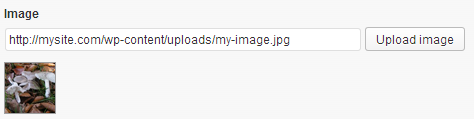
HTML <img /> tag for resized image.
If output=”raw”, url of the image will be returned.
If url=”true”, the url of the resized image will be returned.
align: "center" | "left" | "none"(default) | "right"
Will add one of the WordPress align classes to the img element (“alignright”, “alignleft”, “aligncenter”). Your theme should define these classes. Read more about aligning images.
height: image height (e.g. 300)
Image will be resized before being sent to the client. width and height will be ignored if size is set. For Embedded media the width and height are maximum values and may be ignored if $content_width is set for the theme.
item: The “item” attribute is used to get the context when retrieving data from a post that is different from the current one.
See Item Attribute.
output: 'raw' | 'normal'(default)
‘raw’=Display raw data stored in DB. No other formatting attributes (e.g. custom separator) will be respected.
‘html’=Wrap data in HTML.
padding_color: hex color code | 'transparent'
Transparent works best with png format images. For image fields, padding_color only is applied if resize=”pad”
resize: 'crop' | 'proportional' | 'stretch' | 'pad'
If pad is specified, then the padding_color attribute can be used to set the color or transparency of the padding.
Default resize attribute is crop. Cropping will only happen if a user sets both width and height. If only one of those values is set cropping will not be executed.
show_name: 'if-not-empty' | 'true' | 'false' (default)
‘if-not-empty’=Render the field name only when the field value is not empty
‘true’=Render the field name
‘false’ =Don’t render the field name
size: custom image size | 'full' | 'large' | 'medium' | 'thumbnail'
url: 'false'(default) | 'true'
true=output the url of the image instead of the html img tag.
Works with the size attribute to output the url of the re-sized image
width: image width (e.g. 300)
Image will be resized before being sent to the client. width and height will be ignored if size is set. For Embedded media the width and height are maximum values and may be ignored if $content_width is set for the theme.
HTML attributes all take string values and will be added unchanged to the img element.
For the alt and title attributes, you can also use placeholders to output the values of standard image fields added in WordPress: %%TITLE%%, %%ALT%%, %%CAPTION %%, and %%DESCRIPTION%%.
More Repeater attributes, User attributes, Term attributes, Usage examples
index: zero-based index number of the field to be output
Index will return a single value of your repeating field
separator: text or html tags to insert between each field
user_current: "true" - output user field for the logged in user
user_id: "id" - output the field for the user with this id
user_is_author: "true" - output field for current Post author
If no user is specified for the usermeta, then the value for the current post author will be displayed (i.e. default).
user_name: "name" - output the field for the user with this login name
term_id: "id" - output the field for the term with this id.
This can be omitted in 2 cases:
-Inside a taxonomy term archive page, where the global term will be used instead
-A Taxonomy View, where the current term of the loop will be used instead
types_render_field( "my-image", array( "alt" => "blue bird", "width" => "300", "height" => "200", "proportional" => "true" ) )
[types field="my-image" alt="blue bird" title="Acme logo" class="my-class1 myclass2" style="border:1px solid black;padding:20px" size="thumbnail"]
Will output
<img alt="blue bird" title="Acme logo" class="my-class1 myclass2" style="border:1px solid black;padding:20px" src="http://mysite.com/image-path/my-image-name-150x150.jpg" />
[types field="my-image" size="thumbnail" url="true"]
Will output
http://mysite.com/image-path/my-image-name-150x150.jpg
[types field="my-image" output="raw"]
Will output
http://mysite.com/image-path/my-image-name.jpg
types_render_usermeta( "my-image", array( "alt" => "blue bird", "width" => "300", "height" => "200", "proportional" => "true", user_id => "1" ) )
Will display the image of the field for the user with user id of 1.
[types usermeta="my-field"][/types]
Will display the value of the field for the post author.
types_render_termmeta( "my-image-field", array() )
[types termmeta="my-image-field"][/types]
Displays a text input to user but forces numeric value to be entered.
Raw DB data or HTML formatted output. Also predefined values can be used to set rendering – FIELD_NAME and FIELD_VALUE. This works similar to sprintf() PHP function.
format: Use the literals FIELD_NAME and FIELD_VALUE in the format to ouput the name and value
e.g. format=”FIELD_NAME : $ FIELD_VALUE”
item: The “item” attribute is used to get the context when retrieving data from a post that is different from the current one.
See Item Attribute.
output: 'raw' | 'normal'(default)
‘raw’=Display raw data stored in DB. No other formatting attributes (e.g. custom separator) will be respected.
‘html’=Wrap data in HTML.
show_name: 'if-not-empty' | 'true' | 'false' (default)
‘if-not-empty’=Render the field name only when the field value is not empty
‘true’=Render the field name
‘false’ =Don’t render the field name
More Repeater attributes, User attributes, Term attributes, Usage examples
index: zero-based index number of the field to be output
Index will return a single value of your repeating field
separator: text or html tags to insert between each field
user_current: "true" - output user field for the logged in user
user_id: "id" - output the field for the user with this id
user_is_author: "true" - output field for current Post author
If no user is specified for the usermeta, then the value for the current post author will be displayed (i.e. default).
user_name: "name" - output the field for the user with this login name
term_id: "id" - output the field for the term with this id.
This can be omitted in 2 cases:
-Inside a taxonomy term archive page, where the global term will be used instead
-A Taxonomy View, where the current term of the loop will be used instead
types_render_field("my-number", array("style" => "FIELD_NAME : $ FIELD_VALUE"))
[types field="my-number" format="FIELD_NAME : $ FIELD_VALUE"][/types]
Will generate the following
Price : $ 100
types_render_usermeta( "my-field", array( "user_current" => true ) )
Will display the value of the field for the current user.
[types usermeta="my-field"][/types]
Will display the value of the field for the post author.
types_render_termmeta( "my-field", array() )
[types termmeta="my-field"][/types]
Displays a text input for user, phone behaves the same as single line input with no additional validation.
item: The “item” attribute is used to get the context when retrieving data from a post that is different from the current one.
See Item Attribute.
output: 'raw' | 'normal'(default)
‘raw’=Display raw data stored in DB. No other formatting attributes (e.g. custom separator) will be respected.
‘html’=Wrap data in HTML.
show_name: 'if-not-empty' | 'true' | 'false' (default)
‘if-not-empty’=Render the field name only when the field value is not empty
‘true’=Render the field name
‘false’ =Don’t render the field name
More Repeater attributes, User attributes, Term attributes, Usage examples
index: zero-based index number of the field to be output
Index will return a single value of your repeating field
separator: text or html tags to insert between each field
user_current: "true" - output user field for the logged in user
user_id: "id" - output the field for the user with this id
user_is_author: "true" - output field for current Post author
If no user is specified for the usermeta, then the value for the current post author will be displayed (i.e. default).
user_name: "name" - output the field for the user with this login name
term_id: "id" - output the field for the term with this id.
This can be omitted in 2 cases:
-Inside a taxonomy term archive page, where the global term will be used instead
-A Taxonomy View, where the current term of the loop will be used instead
types_render_field( "my-phone-field", array() )
[types field="my-phone-field"]
types_render_usermeta( "my-phone-field", array() )
[types usermeta="my-phone-field"][/types]
types_render_termmeta( "my-phone-field", array() )
[types termmeta="my-phone-field"][/types]
Radio buttons allow users to select just one option from a group of options.
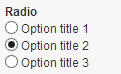
Will display the title for the selected radio option
item: The “item” attribute is used to get the context when retrieving data from a post that is different from the current one.
See Item Attribute.
output: 'raw' | 'normal'(default)
‘raw’=Display raw data stored in DB. No other formatting attributes (e.g. custom separator) will be respected.
‘html’=Wrap data in HTML.
show_name: 'if-not-empty' | 'true' | 'false' (default)
‘if-not-empty’=Render the field name only when the field value is not empty
‘true’=Render the field name
‘false’ =Don’t render the field name
More Repeater attributes, User attributes, Term attributes, Usage examples
index: zero-based index number of the field to be output
Index will return a single value of your repeating field
separator: text or html tags to insert between each field
user_current: "true" - output user field for the logged in user
user_id: "id" - output the field for the user with this id
user_is_author: "true" - output field for current Post author
If no user is specified for the usermeta, then the value for the current post author will be displayed (i.e. default).
user_name: "name" - output the field for the user with this login name
term_id: "id" - output the field for the term with this id.
This can be omitted in 2 cases:
-Inside a taxonomy term archive page, where the global term will be used instead
-A Taxonomy View, where the current term of the loop will be used instead
types_render_field("my-radio", array())
[types field="my-radio"][/types]
Will output the title for the selected option
types_render_usermeta( "my-field", array( "user_current" => true ) )
Will display the value of the field for the current user.
[types usermeta="my-field"][/types]
Will display the value of the field for the post author.
types_render_termmeta( "my-field", array() )
[types termmeta="my-field"][/types]
Displays a select box to the user.
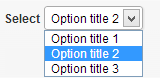
The option title will be output, or if set, a specific value.
item: The “item” attribute is used to get the context when retrieving data from a post that is different from the current one.
See Item Attribute.
output: 'raw' | 'normal'(default)
‘raw’=Display raw data stored in DB. No other formatting attributes (e.g. custom separator) will be respected.
‘html’=Wrap data in HTML.
show_name: 'if-not-empty' | 'true' | 'false' (default)
‘if-not-empty’=Render the field name only when the field value is not empty
‘true’=Render the field name
‘false’ =Don’t render the field name
More Repeater attributes, User attributes, Term attributes, Usage examples
index: zero-based index number of the field to be output
Index will return a single value of your repeating field
separator: text or html tags to insert between each field
user_current: "true" - output user field for the logged in user
user_id: "id" - output the field for the user with this id
user_is_author: "true" - output field for current Post author
If no user is specified for the usermeta, then the value for the current post author will be displayed (i.e. default).
user_name: "name" - output the field for the user with this login name
term_id: "id" - output the field for the term with this id.
This can be omitted in 2 cases:
-Inside a taxonomy term archive page, where the global term will be used instead
-A Taxonomy View, where the current term of the loop will be used instead
types_render_field("my-select", array( ))
[types field="my-select"][/types]
types_render_usermeta( "my-field", array( "user_current" => true ) )
Will display the value of the field for the current user.
[types usermeta="my-field"][/types]
Will display the value of the field for the post author.
types_render_termmeta( "my-field", array() )
[types termmeta="my-field"][/types]
Specify Skype id and button style and display an interactive Skype button on your site.


Displays a Skype button, optionally with status to allow uses to place a Skype call from your site.
button: 'bubble' | 'rounded' | 'rectangle'
‘bubble’= Fix positioned icon at the bottom right of the site. Should only be used once per site as multiple uses would overlap each other.
’rounded’= Placed in the position of the shortcode.
‘rectangle’= Placed in the position of the shortcode.
button-color: hex color code (default: #00AFF0)
Background color of the button.
button-icon: 'enabled' (default) | 'disabled'
Only available for button ’rounded’ and ‘rectangle’
button-label: Custom Label (default: "Contact us")
Only available for button ’rounded’ and ‘rectangle’
chat-color: hex color code (default: #80DDFF)
The background color of the incoming chat messages.
item: The “item” attribute is used to get the context when retrieving data from a post that is different from the current one.
See Item Attribute.
output: 'raw' | 'normal'(default)
‘raw’=Display raw data stored in DB. No other formatting attributes (e.g. custom separator) will be respected.
‘html’=Wrap data in HTML.
receiver: 'user' (default) | 'bot'
To learn more about Skype Bots see https://dev.skype.com/bots
show_name: 'if-not-empty' | 'true' | 'false' (default)
‘if-not-empty’=Render the field name only when the field value is not empty
‘true’=Render the field name
‘false’ =Don’t render the field name
More Repeater attributes, User attributes, Term attributes, Usage examples
index: zero-based index number of the field to be output
Index will return a single value of your repeating field
separator: text or html tags to insert between each field
user_current: "true" - output user field for the logged in user
user_id: "id" - output the field for the user with this id
user_is_author: "true" - output field for current Post author
If no user is specified for the usermeta, then the value for the current post author will be displayed (i.e. default).
user_name: "name" - output the field for the user with this login name
term_id: "id" - output the field for the term with this id.
This can be omitted in 2 cases:
-Inside a taxonomy term archive page, where the global term will be used instead
-A Taxonomy View, where the current term of the loop will be used instead
types_render_field( "my-skype", array( "button" => "bubble" ) );
[types field="my-skype" button="bubble"][/types]
types_render_usermeta( "my-field", array( "user_current" => true ) )
Will display the value of the field for the current user.
[types usermeta="my-field"][/types]
Will display the value of the field for the post author.
types_render_termmeta( "my-skype-field", array() )
[types termmeta="my-skype-field"][/types]
Displays a textarea for user input. In the Types interface, this field is called “Multiple lines”
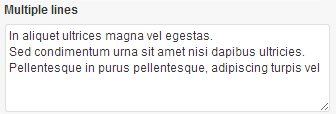
Displays multi-line text on your site.
item: The “item” attribute is used to get the context when retrieving data from a post that is different from the current one.
See Item Attribute.
output: 'raw' | 'normal'(default)
‘raw’=Display raw data stored in DB. No other formatting attributes (e.g. custom separator) will be respected.
‘html’=Wrap data in HTML.
show_name: 'if-not-empty' | 'true' | 'false' (default)
‘if-not-empty’=Render the field name only when the field value is not empty
‘true’=Render the field name
‘false’ =Don’t render the field name
suppress_filters: 'true' | 'false' (default)
If suppress_filters=’true’, all third party (non WordPress) filters hooked into the_content filter will be removed, when retrieving the WYSIWYG content. In certain circumstances, plugins using this filter can add duplicated content to the WYSIWYG content – removing the filters can resolve this problem.
More Repeater attributes, User attributes, Term attributes, Usage examples
index: zero-based index number of the field to be output
Index will return a single value of your repeating field
separator: text or html tags to insert between each field
user_current: "true" - output user field for the logged in user
user_id: "id" - output the field for the user with this id
user_is_author: "true" - output field for current Post author
If no user is specified for the usermeta, then the value for the current post author will be displayed (i.e. default).
user_name: "name" - output the field for the user with this login name
term_id: "id" - output the field for the term with this id.
This can be omitted in 2 cases:
-Inside a taxonomy term archive page, where the global term will be used instead
-A Taxonomy View, where the current term of the loop will be used instead
types_render_field( "my-textarea", array( ) )
[types field="my-textarea"][/types]
types_render_usermeta( "my-field", array( "user_current" => true ) )
Will display the value of the field for the current user.
[types usermeta="my-field"][/types]
Will display the value of the field for the post author.
types_render_termmeta( "my-textarea-field", array() )
[types termmeta="my-textarea-field"][/types]
Input and displays a single line text input to the user. In the Types interface, this field is called “Single line”

Display a text string on your site.
item: The “item” attribute is used to get the context when retrieving data from a post that is different from the current one.
See Item Attribute.
output: 'raw' | 'normal'(default)
‘raw’=Display raw data stored in DB. No other formatting attributes (e.g. custom separator) will be respected.
‘html’=Wrap data in HTML.
show_name: 'if-not-empty' | 'true' | 'false' (default)
‘if-not-empty’=Render the field name only when the field value is not empty
‘true’=Render the field name
‘false’ =Don’t render the field name
More Repeater attributes, User attributes, Term attributes, Usage examples
index: zero-based index number of the field to be output
Index will return a single value of your repeating field
separator: text or html tags to insert between each field
user_current: "true" - output user field for the logged in user
user_id: "id" - output the field for the user with this id
user_is_author: "true" - output field for current Post author
If no user is specified for the usermeta, then the value for the current post author will be displayed (i.e. default).
user_name: "name" - output the field for the user with this login name
term_id: "id" - output the field for the term with this id.
This can be omitted in 2 cases:
-Inside a taxonomy term archive page, where the global term will be used instead
-A Taxonomy View, where the current term of the loop will be used instead
types_render_field( "my-singlelinetext", array( ) )
[types field="my-singlelinetext"][/types]
Will output a text string on your site
types_render_usermeta( "my-field", array( "user_current" => true ) )
Will display the value of the field for the current user.
[types usermeta="my-field"][/types]
Will display the value of the field for the post author.
types_render_termmeta( "my-text-field", array() )
[types termmeta="my-text-field"][/types]
Displays a URL input to the user and validates input.

Displays an external or internal clickable link on your site. With output=”raw” just the text of the link will be output.
item: The “item” attribute is used to get the context when retrieving data from a post that is different from the current one.
See Item Attribute.
no_protocol: "true" | "false" (default)
Display URL without protocol “http:// and https://”.
output: 'raw' | 'normal'(default)
‘raw’=Display raw data stored in DB. No other formatting attributes (e.g. custom separator) will be respected.
‘html’=Wrap data in HTML.
show_name: 'if-not-empty' | 'true' | 'false' (default)
‘if-not-empty’=Render the field name only when the field value is not empty
‘true’=Render the field name
‘false’ =Don’t render the field name
target: "_blank" | "_self" | "_parent" | "_top" | "framename"
_blank: Opens in a new window or tab. _self: Opens in the same frame as it was clicked. _parent: Opens in the parent frame. _top: Opens in the full body of the window.
html attributes all take string values and will be added unchanged to the anchor link element.
More Repeater attributes, User attributes, Term attributes, Usage examples
index: zero-based index number of the field to be output
Index will return a single value of your repeating field
separator: text or html tags to insert between each field
user_current: "true" - output user field for the logged in user
user_id: "id" - output the field for the user with this id
user_is_author: "true" - output field for current Post author
If no user is specified for the usermeta, then the value for the current post author will be displayed (i.e. default).
user_name: "name" - output the field for the user with this login name
term_id: "id" - output the field for the term with this id.
This can be omitted in 2 cases:
-Inside a taxonomy term archive page, where the global term will be used instead
-A Taxonomy View, where the current term of the loop will be used instead
types_render_field("my-link", array("title" => "got to look at this"))
[types field="my-link"][/types]
Will generate the following
<a href="/path-to-my-link/my-link/" title="/path-to-my-link/my-link/">/path-to-my-link/my-link/</a>
[types field="my-link" title="got to look at this"][/types]
Will generate the following
<a href="/path-to-my-link/my-link/" title="got to look at this">got to look at this</a>
[types field="my-link" output="raw"][/types]
Will just output the URL link as a string
/path-to-my-link/my-link/
types_render_usermeta( "my-field", array( "user_current" => true ) )
Will display the value of the field for the current user.
[types usermeta="my-field"][/types]
Will display the value of the field for the post author.
types_render_termmeta( "my-url-field", array() )
[types termmeta="my-url-field"][/types]
Video will allow users to upload and play a video clip on your site.
The Types video field implements the video feature of WordPress.
You must be running WordPress 3.6 and above for the video field to be available.


autoplay: 'on' | 'off' (default)
Media will start playing as soon as the page loads.
height: image height (e.g. 300)
Image will be resized before being sent to the client. width and height will be ignored if size is set. For Embedded media the width and height are maximum values and may be ignored if $content_width is set for the theme.
item: The “item” attribute is used to get the context when retrieving data from a post that is different from the current one.
See Item Attribute.
loop: 'on' | 'off' (default)
Media will loop to beginning when finished and automatically continue playing
padding_color: hex color code | 'transparent'
Transparent works best with png format images. For image fields, padding_color only is applied if resize=”pad”
poster: 'image URL'
The poster image will be displayed while the video is not playing. The image height will be set to match the height of the video container.
preload: 'on' | 'off' (default)
Media will begin downloading as soon as the page is loaded.
show_name: 'if-not-empty' | 'true' | 'false' (default)
‘if-not-empty’=Render the field name only when the field value is not empty
‘true’=Render the field name
‘false’ =Don’t render the field name
width: image width (e.g. 300)
Image will be resized before being sent to the client. width and height will be ignored if size is set. For Embedded media the width and height are maximum values and may be ignored if $content_width is set for the theme.
More Repeater attributes, User attributes, Term attributes, Usage examples
index: zero-based index number of the field to be output
Index will return a single value of your repeating field
separator: text or html tags to insert between each field
user_current: "true" - output user field for the logged in user
user_id: "id" - output the field for the user with this id
user_is_author: "true" - output field for current Post author
If no user is specified for the usermeta, then the value for the current post author will be displayed (i.e. default).
user_name: "name" - output the field for the user with this login name
term_id: "id" - output the field for the term with this id.
This can be omitted in 2 cases:
-Inside a taxonomy term archive page, where the global term will be used instead
-A Taxonomy View, where the current term of the loop will be used instead
types_render_field( "my-video", array("output" => "raw") )
[types field="my-video-field" width="625" height="469" poster="/wp-content/uploads/2013/09/Tricholoma_terreum.jpg" loop="on"][/types]
types_render_usermeta( "my-video", array( "user_current" => true ) )
[types usermeta="my-video-field" width="625" height="469" poster="/wp-content/uploads/2013/09/Tricholoma_terreum.jpg" loop="on"][/types]
types_render_termmeta( "my-video-field", array() )
[types termmeta="my-video-field"][/types]
Displays a WYSIWYG editor to the user.
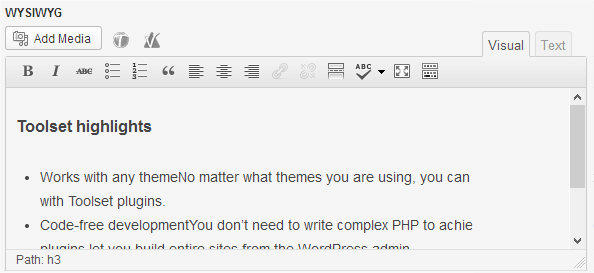
Allows same input as Post body. Shortcodes, images and other elements get resolved.
item: The “item” attribute is used to get the context when retrieving data from a post that is different from the current one.
See Item Attribute.
output: 'raw' | 'normal'(default)
‘raw’=Display raw data stored in DB. No other formatting attributes (e.g. custom separator) will be respected.
‘html’=Wrap data in HTML.
show_name: 'if-not-empty' | 'true' | 'false' (default)
‘if-not-empty’=Render the field name only when the field value is not empty
‘true’=Render the field name
‘false’ =Don’t render the field name
suppress_filters: 'true' | 'false' (default)
If suppress_filters=’true’, all third party (non WordPress) filters hooked into the_content filter will be removed, when retrieving the WYSIWYG content. In certain circumstances, plugins using this filter can add duplicated content to the WYSIWYG content – removing the filters can resolve this problem.
More Repeater attributes, User attributes, Term attributes, Usage examples
index: zero-based index number of the field to be output
Index will return a single value of your repeating field
separator: text or html tags to insert between each field
user_current: "true" - output user field for the logged in user
user_id: "id" - output the field for the user with this id
user_is_author: "true" - output field for current Post author
If no user is specified for the usermeta, then the value for the current post author will be displayed (i.e. default).
user_name: "name" - output the field for the user with this login name
term_id: "id" - output the field for the term with this id.
This can be omitted in 2 cases:
-Inside a taxonomy term archive page, where the global term will be used instead
-A Taxonomy View, where the current term of the loop will be used instead
types_render_field("my-wysiwyg", array( ))
[types field="my-wysiwyg"][/types]
types_render_usermeta( "my-field", array( "user_current" => true ) )
Will display the value of the field for the current user.
[types usermeta="my-field"][/types]
Will display the value of the field for the post author.
types_render_termmeta( "my-field", array() )
[types termmeta="my-field"][/types]
